
はじめに
Cocoonのエントリーカードの日付(投稿日・更新日)は、デフォルトで「2026.09.12」のように表示されます。
これを「3日前」や「1ヶ月前」といった直感的な相対時間に変換します。
この記事では、この方法について説明します。
完成イメージ
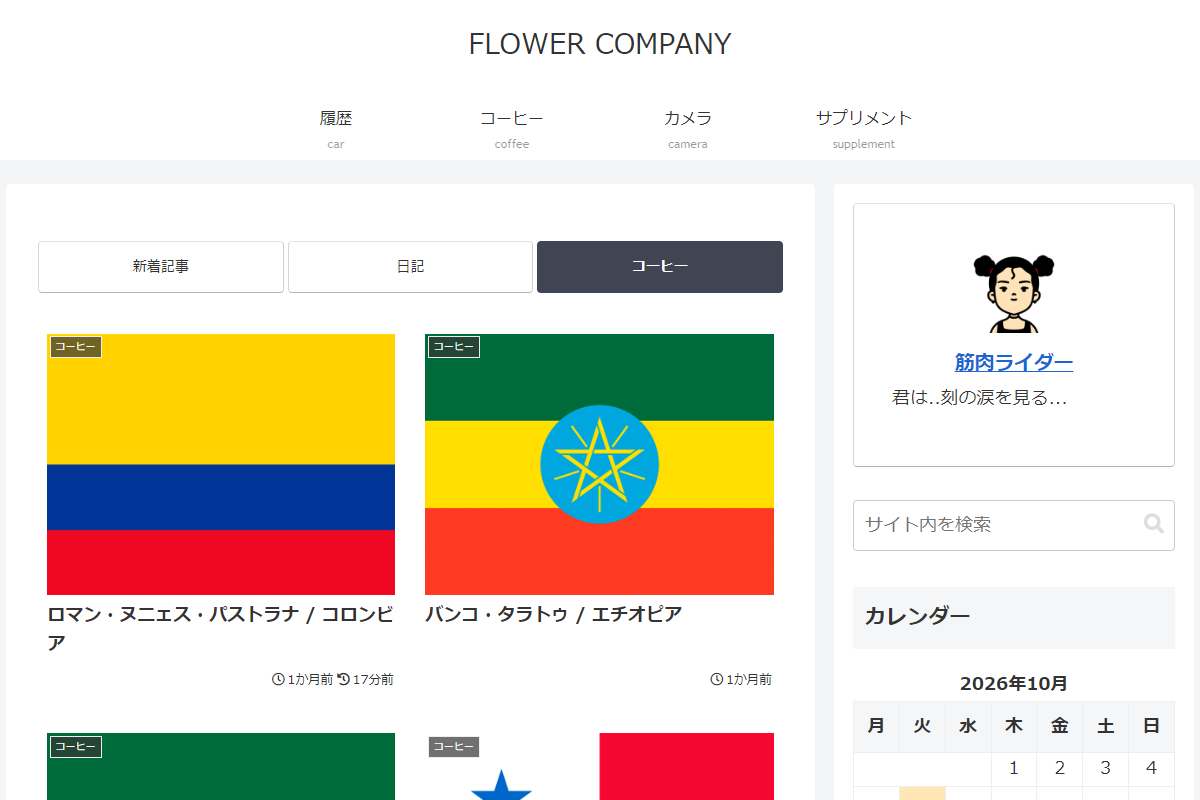
実装手順
以下のコードをfunctions.phpに追加します。
add_filter('cocoon_part__tmp/entry-card', function ($content) {
  $replace = function ($content, $class, $ts) {
    return preg_replace_callback(
      '/(<span class="' . $class . '">.*?<span class="entry-date">)[^<]*(<\/span>)/s',
      function ($m) use ($ts) {
        return $m[1] . esc_html(human_time_diff($ts, time()) . '前') . $m[2];
      },
      $content
    );
  };

  $content = $replace($content, 'post-date',   get_post_time('U', true));
  $content = $replace($content, 'post-update', get_post_modified_time('U', true));

  return $content;
}, 10, 1);
さいごに
今回紹介した方法を使えば、テンプレートファイルを直接変更することなく、functions.phpへの追記だけでエントリーカードの日付表示を柔軟に変更できます。
サイトの回遊性向上や最新情報の訴求にぜひお役立てください。