
はじめに
投稿や固定ページを開いた際、コメント欄までスクロールしないとコメントの有無がわかりません。
そこで、本文の上部にコメント件数と最新コメントの日付を表示します。
この記事では、この方法について説明します。
完成イメージ
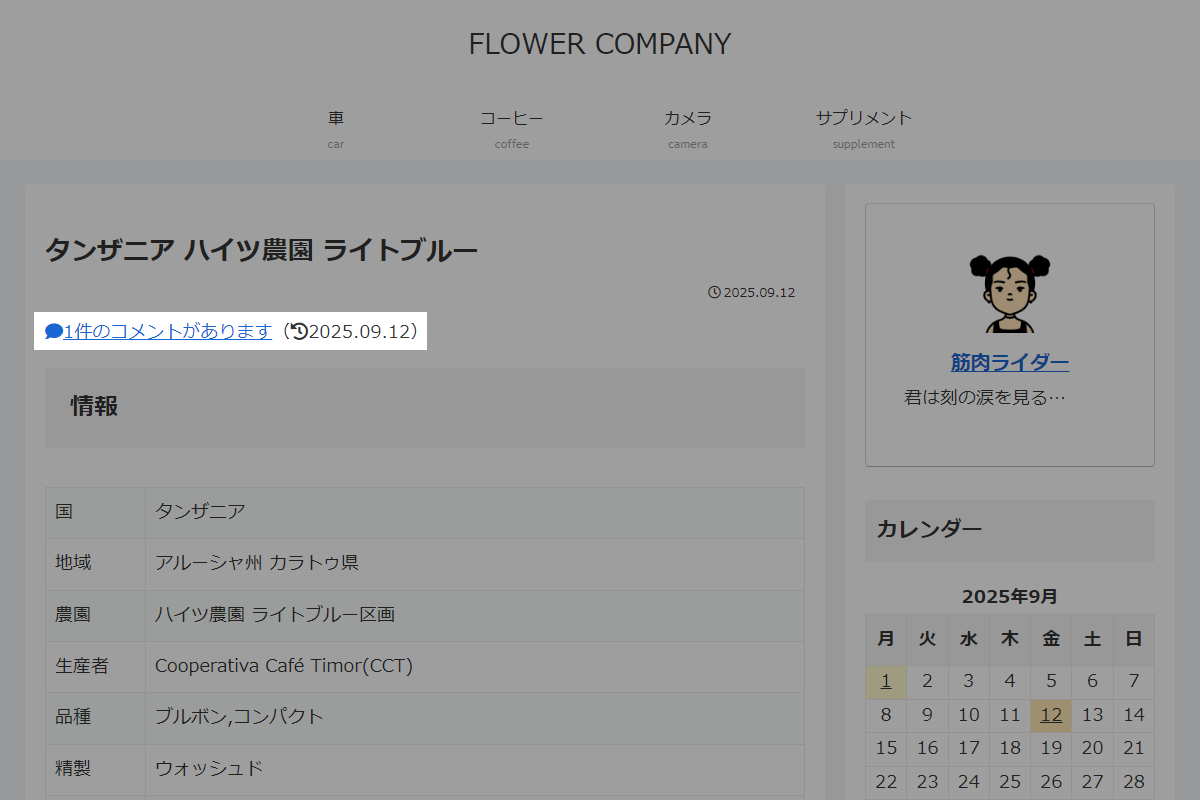
実装手順
以下の手順で実装します。
- ラベルCocoon設定
表1に示す項目を設定をします。
Cocoon設定 設定 大項目 項目 設定値 投稿 コメント設定 コメントを表示する オン 固定ページ コメント設定 コメントを表示する オン - ラベルPHPを追加
以下のコードをfunctions.phpに追加します。
add_action('singular_entry_content_before', function () {
  $is_visible_single = is_single() && is_single_comment_visible();
  $is_visible_page   = is_page() && is_page_comment_visible();

  if (!$is_visible_single && !$is_visible_page) {
    return;
  }

  $post_id = get_the_ID();
  $num = get_comments_number($post_id);

  if ($num <= 0) {
    return;
  }

  $latest_comments = get_comments([
    'post_id' => $post_id,
    'status'  => 'approve',
    'orderby' => 'comment_date',
    'order'   => 'DESC',
    'number'  => 1,
  ]);

  if (empty($latest_comments)) {
    return;
  }

  $date = wp_date('Y.m.d', strtotime($latest_comments[0]->comment_date));

  ?>
  <div class="comment-info">
    <a class="comment-info__link" href="#comments"><i class="comment-info__icon fa fa-comment"></i><?= esc_html($num); ?>件のコメントがあります</a><span class="comment-info__date">(<i class="comment-info__icon fa fa-history"></i><?= esc_html($date); ?>)</span>
  </div>
  <?php
});
さいごに
今回紹介した方法を使えば、コメント欄を開かなくても投稿や固定ページのコメント数と最新コメントの日付を簡単に把握できるようになります。
これにより、ユーザーはページをスクロールせずにコメント状況を確認でき、閲覧体験が向上します。

