
はじめに
以下の質問に回答します。

完成イメージ
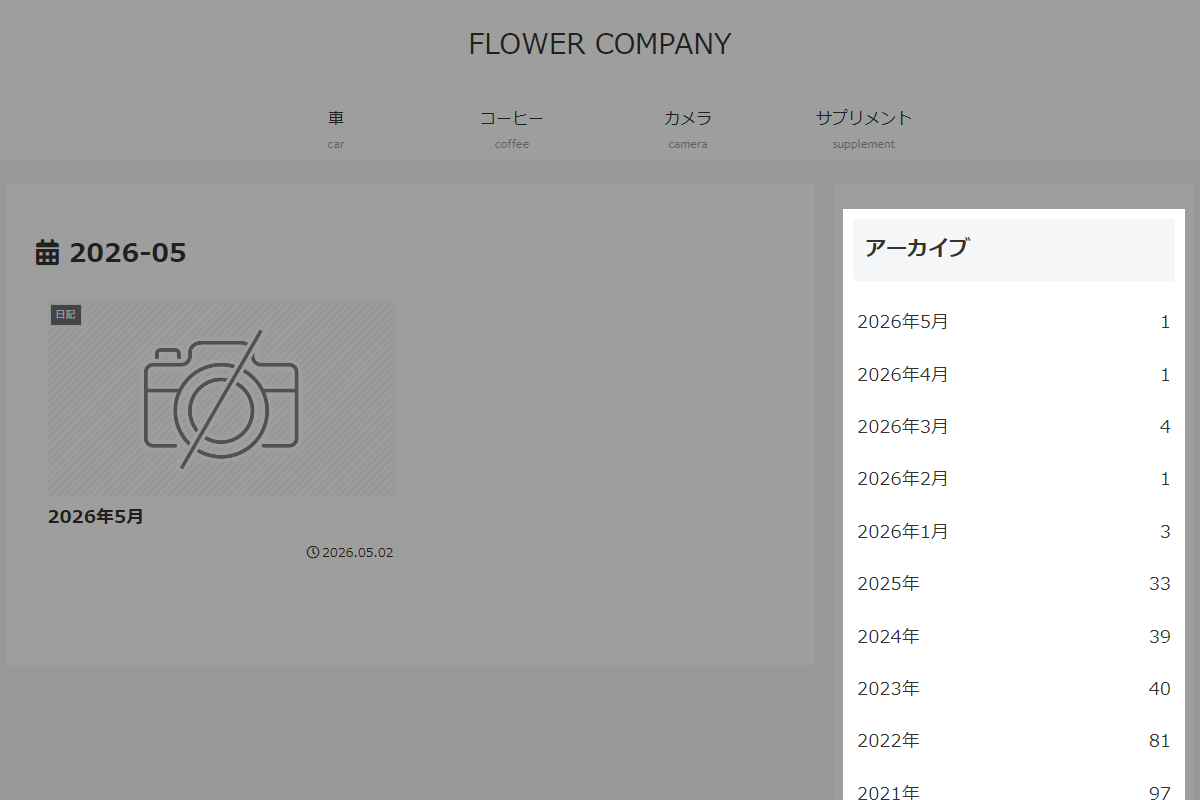
実装手順
以下のコードをfunctions.phpに追加します。
// フロントエンド表示に反映
add_filter('widget_display_callback', function ($instance, $widget, $args) {
  if ($widget->id_base !== 'archives') {
    return $instance;
  }

  global $wpdb;

  // 年月ごとの公開済み投稿数を取得
  $rows = $wpdb->get_results(
    "SELECT YEAR(post_date) AS y, MONTH(post_date) AS m, COUNT(*) AS c
     FROM {$wpdb->posts}
     WHERE post_type = 'post' AND post_status = 'publish'
     GROUP BY y, m
     ORDER BY y DESC, m DESC"
  );

  // 投稿が存在しない場合は処理対象外
  if (!$rows) {
    return $instance;
  }

  // 年・投稿数・表示形式・タイトルを取得
  $current_year = (int) wp_date('Y');
  $show_count   = !empty($instance['count']);
  $dropdown     = !empty($instance['dropdown']);
  $title = apply_filters('widget_title', $instance['title'] ?? __('Archives'), $instance, $widget->id_base);

  // 表示項目を作成(今年は月別、過去は年別に合算)
  $items = [];
  foreach ($rows as $r) {
    $y = (int) $r->y;
    $m = (int) $r->m;
    $c = (int) $r->c;

    if ($y === $current_year) {
      $items["$y-$m"] = [get_month_link($y, $m), "{$y}年{$m}月", $c];
    } elseif (isset($items[$y])) {
      $items[$y][2] += $c;
    } else {
      $items[$y] = [get_year_link($y), "{$y}年", $c];
    }
  }

  ?>
  <?= $args['before_widget']; ?>
  <?php if ($title): ?>
    <?= $args['before_title'] . esc_html($title) . $args['after_title']; ?>
  <?php endif; ?>

  <?php if ($dropdown): ?>
    <!-- ドロップダウン形式で表示 -->
    <select name="archive-dropdown" onchange="if(this.value) location.href=this.value;">
      <option value=""><?= esc_html__('Select Month'); ?></option>
      <?php foreach ($items as [$url, $label, $count]): ?>
        <option value="<?= esc_url($url); ?>"><?= esc_html($label . ($show_count ? " ({$count})" : '')); ?></option>
      <?php endforeach; ?>
    </select>
  <?php else: ?>
    <!-- リスト形式で表示 -->
    <ul>
      <?php foreach ($items as [$url, $label, $count]): ?>
        <li>
          <a href="<?= esc_url($url); ?>"><?= esc_html($label); ?><?= $show_count ? ' <span class="post-count">' . (int) $count . '</span>' : ''; ?></a>
        </li>
      <?php endforeach; ?>
    </ul>
  <?php endif; ?>

  <?php
  ?>
  <?= $args['after_widget']; ?>

  <?php
  return false;
}, 10, 3);
さいごに
今回紹介した方法を使えば、年月の経過とともに肥大化しがちなアーカイブリストを、常にスマートな状態で維持できるようになります。
「最新の投稿は月単位で見せつつ、古い記事は年単位でスッキリまとめる」という構成は、読者にとっても目的の記事に辿り着きやすく、ユーザビリティの向上に直結します。