
はじめに
投稿をパスワードで制限したい場面はよくありますが、WordPress標準のパスワード保護機能では毎回設定が必要で、運用ミスのリスクもあります。
そこで、特定のカテゴリーが付いた投稿に対して、独自のパスワードフォームを表示させます。
この方法なら、既に公開済みの投稿にも即時適用できるため、過去の記事をまとめて制限したい場合にも便利です。
この記事では、この方法について説明します。
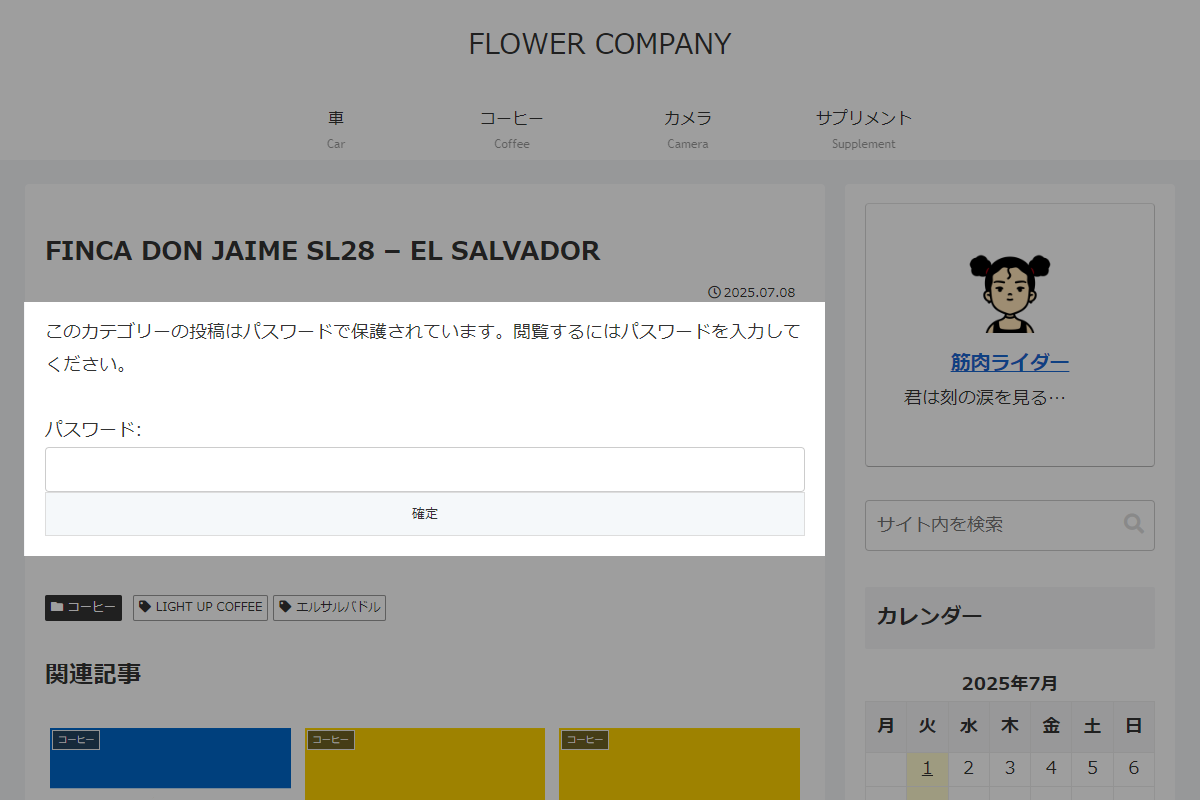
完成イメージ
実装手順
以下のコードをfunctions.phpに追加します。
/**
 * 設定値を返却
 *
 * @return array 設定配列
 */
if (!function_exists('my_get_category_pwd_config')):
function my_get_category_pwd_config() {
  return [
    'password' => 'secret123',  // 共通パスワード
    'cookie' => 'pwd_cat',      // 保存先のクッキー名
    'ids' => [123, 456],        // パスワード保護対象のカテゴリーID
  ];
}
endif;


// パスワード送信時のチェックとクッキー発行
add_action('template_redirect', function () {
  $config = my_get_category_pwd_config();

  // ログイン済み、または対象ページ以外は処理対象外
  if (is_user_logged_in() || !is_singular('post') || !in_category($config['ids'])) {
    return;
  }

  // パスワードフォーム以外は処理対象外
  if ($_SERVER['REQUEST_METHOD'] !== 'POST' || !isset($_POST['cat_pwd_submit'])) {
    return;
  }

  // nonceチェック
  if (!isset($_POST['cat_pwd_nonce']) || !wp_verify_nonce(wp_unslash($_POST['cat_pwd_nonce']), 'cat_pwd_action')) {
    return;
  }

  // 入力されたパスワードを取得
  $input_password = isset($_POST['password']) ? sanitize_text_field(wp_unslash($_POST['password'])) : '';

  // パスワードを照合
  if (hash_equals($config['password'], $input_password)) {
    // クッキーを発行
    setcookie($config['cookie'], 'unlocked', time() + DAY_IN_SECONDS, COOKIEPATH, COOKIE_DOMAIN, is_ssl(), true);

    wp_safe_redirect(get_permalink());
    exit;
  }
});


// 本文を変更
add_filter('the_content', function ($content) {
  $config = my_get_category_pwd_config();

  // ログイン済み、または対象ページ以外は処理対象外
  if (is_user_logged_in() || !is_singular('post') || !in_category($config['ids'])) {
    return $content;
  }

  // クッキーが発行済みの場合は処理対象外
  if (isset($_COOKIE[$config['cookie']]) && $_COOKIE[$config['cookie']] === 'unlocked') {
    return $content;
  }

  $nonce_field = wp_nonce_field('cat_pwd_action', 'cat_pwd_nonce', true, false);

  ob_start();
  ?>
  <form method="post" class="category-password-form">
    <?= $nonce_field ?>
    <p>このカテゴリーの投稿はパスワードで保護されています。閲覧するにはパスワードを入力してください。</p>
    <p>
      <label>パスワード: <input type="password" name="password" required></label>
      <input type="submit" name="cat_pwd_submit" value="確定">
    </p>
  </form>
  <?php
  return ob_get_clean();
});
さいごに
今回紹介した方法を使えば、特定のカテゴリーに属する投稿をパスワード保護でき、過去に公開した記事にもすぐ適用できます。