
はじめに
以下の質問に回答します。

「関連記事」ウィジェットと同様に、本文下の関連記事を横並び表示にします。
さらに、オートプレイ機能も実現します。
この記事では、この方法について説明します。
完成イメージ
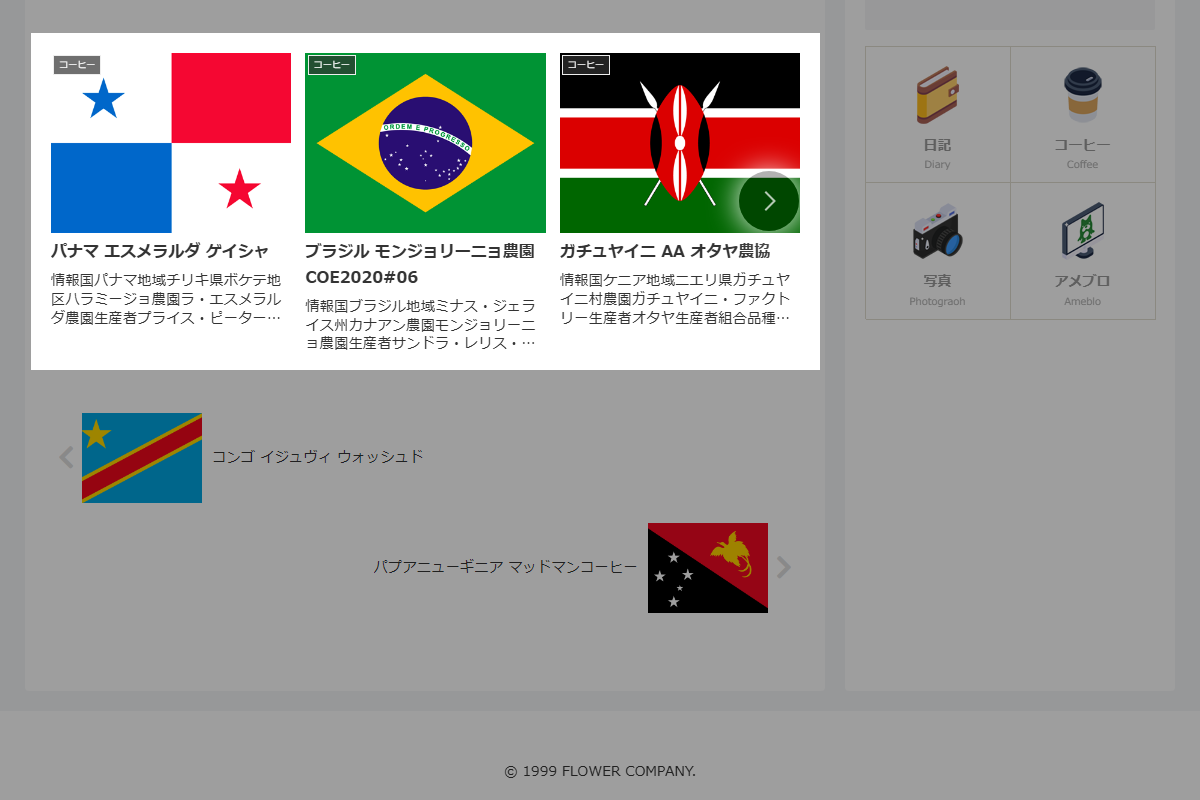
実装手順
以下の手順で実装します。
- ラベルCocoon設定
表1に示す項目を設定します。Cocoon設定
Cocoon設定 設定 大項目 項目 設定値 投稿 関連記事設定 関連記事を表示する オン - ラベルPHPを追加
以下のコードをfunctions.phpに追加します。
// テンプレート(関連記事全体)を変更
add_filter('cocoon_part__tmp/related-entries', function ($content) {
  if (is_admin()) {
    return $content;
  }

  global $_IS_SWIPER_ENABLE;
  $_IS_SWIPER_ENABLE = true;

  return preg_replace('/(<div class="related-list)"/', '$1 swiper is-list-horizontal"', $content);
});


// テンプレート(関連記事リスト)を変更
add_filter('cocoon_part__tmp/related-list', function ($content) {
  if (is_admin()) {
    return $content;
  }

  ob_start();
  ?>
  <div class="swiper-wrapper">
    <?= preg_replace('/(related-entry-card-wrap)/', '$1 swiper-slide', $content); ?>
  </div>
  <div class="swiper-pagination"></div>
  <div class="swiper-button-prev"></div>
  <div class="swiper-button-next"></div>
  <?php
  return ob_get_clean();
});
参考:オートプレイ機能を追加する方法
完成イメージ
本ページに完成イメージを反映させます。
実装手順
前述のコードに加え、以下のコードをfunctions.phpに追加します。
add_action('cocoon_part_after__tmp/footer-javascript', function () {
  ?>
  <script>
  const relatedSwiper = new Swiper('.related-list', {
    slidesPerView: 'auto',
    spaceBetween: 4,
    loop: true,
    speed: 1000,
    autoplay: {
      delay: 5000,
      disableOnInteraction: false,
    },
    pagination: {
      el: '.swiper-pagination',
      clickable: true,
    },
    navigation: {
      nextEl: '.swiper-button-next',
      prevEl: '.swiper-button-prev',
    },
    breakpoints: {
      481: {
        slidesPerView: 3, // 画面幅481px以上で表示枚数を3枚に設定
      },
    },
  });
  </script>
  <?php
});